Digital Art for kids: start as a hobby
Start with colour, layers and visual decisions on paper before choosing a drawing tablet or software.
A no-screen starting project
Even digital subjects begin with observation, organising ideas and making choices. This project can be taught at home or in a classroom before using an app.
Project: Paper layers: design a friendly mascot
Materials: Tracing paper or translucent sheets, pencils, colour paper
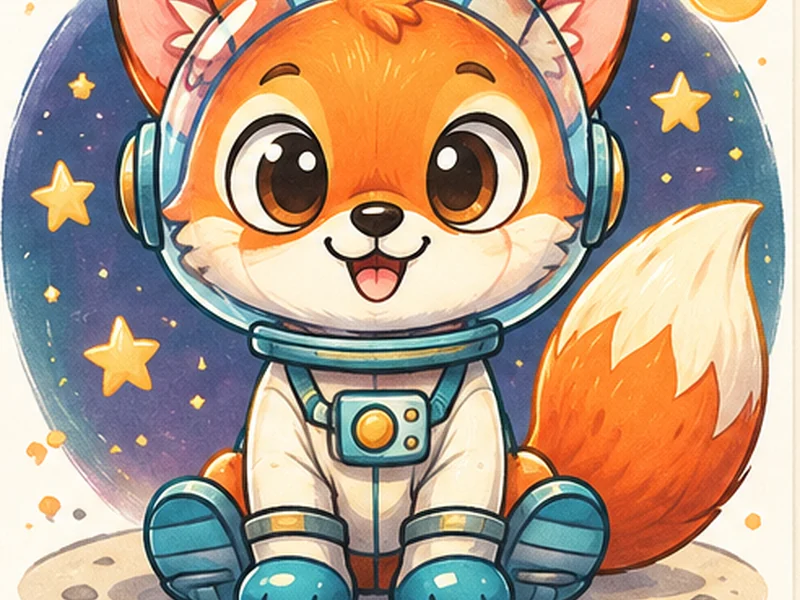 Digital ArtOriginal creative inspiration • Start on paper
- 01
Draw a simple mascot outline on one sheet.
- 02
Place a second transparent sheet over it for colour blocks.
- 03
Use a third sheet for expression, accessories and small details.
- 04
Swap the colour layer without altering the outline.
- 05
Explain how separate layers make revisions easier.
What a child can practise
Planning, iteration, visual layering.
Connections to school
Biology diagrams, maps, information design. These are lesson connections, not a promise of higher marks.
Where these ways of thinking appear later
Product teams make mock-ups; engineers build visual interfaces; health communicators create clear graphics.
The same mindset—observe, design, test and explain—can be helpful across interests, whether a learner later chooses engineering, medicine, design, business or IT.
How to adapt this activity by age
Demonstrate one small part, let the child name or arrange pieces; no software.
Let them create a simple first draft and explain one improvement.
Invite two alternatives and test which communicates better.
Add a real audience, constraints and a short design reflection.
For more examples, visit age-group activities.
Try an existing AtFunky activity
Begin with our illustrated project reference and straightforward written steps before moving to more complicated work.
Open free activity →Evidence and realistic expectations
Children can practise observing, explaining choices, testing ideas and improving work through creative activities. Results depend on teaching, practice and individual needs. Evidence for automatic improvement in all school subjects or future employment is limited; these activities do not guarantee higher IQ, examination marks or any particular profession.
Like this activity? Explore a hobby class.
Arts Film Academy publishes drawing, digital art, animation, coding and related creative learning options. Ask for an age-appropriate hobby pathway, teaching approach, sample projects and current availability. A hobby can stay a hobby—career decisions can come much later.
Adult enquiry only. Timings, exact subject availability for children, faculty credentials and fees must be confirmed with Arts Film Academy. No guaranteed academic or career result.
A first real digital drawing workflow
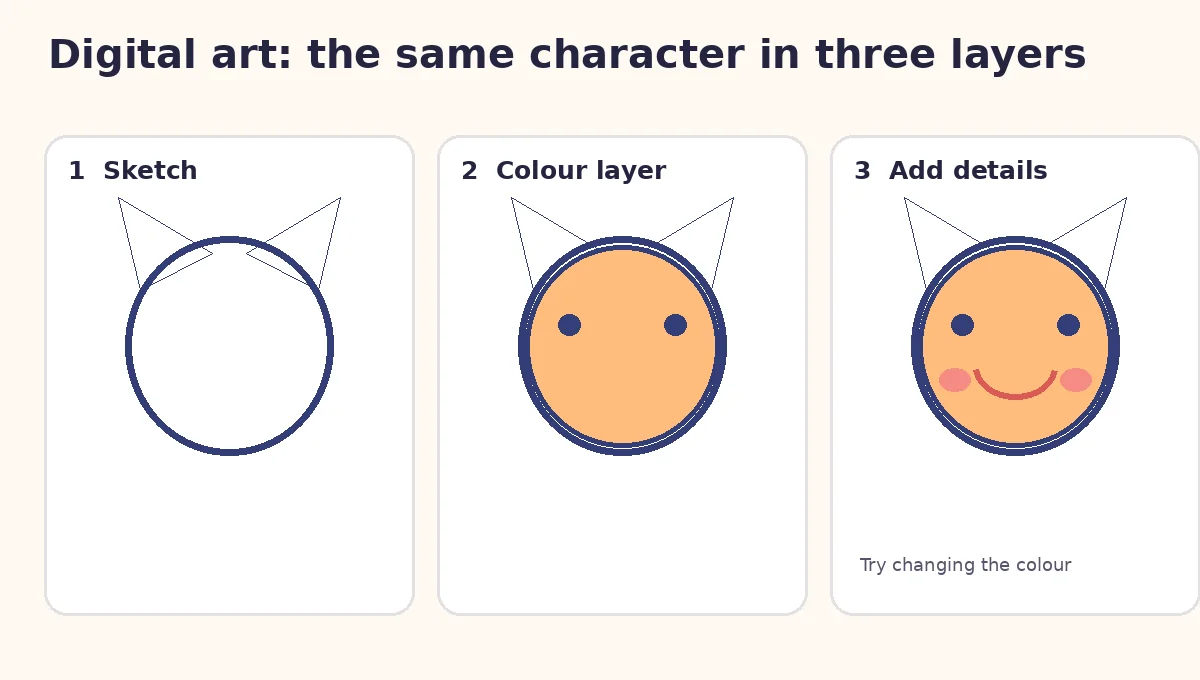
- Create a canvas in a parent-approved drawing app (for example, 1200 × 1200 pixels). Choose a large brush with high contrast.
- Sketch layer: draw one oval for a face and two triangles for ears. Reduce the layer opacity if the app permits.
- Colour layer: add a new layer below the sketch; fill the face with orange or yellow and keep the eyes dark.
- Detail layer: add a new layer above and draw a smile, cheeks and one accessory. Change only the colour layer to see how easy it is to revise.
- Save: retain an editable working file, then export a flattened PNG with an adult. Compare it to the original pencil sketch.
Screen-free alternative: layer tracing-paper sheets over the same initial sketch. Families should use age-appropriate apps and avoid publishing children’s names or photos.
Want to go further with digital art and design?
Explore how drawing, layouts and layered thinking develop into creative projects. Compare suitable options, check actual class availability and decide whether a guided class is right for your family. AtFunky activities remain free.
Owner-approved provider option: Arts Film Academy profile →. Current programme and age eligibility need direct confirmation.